
tl;dr
- If a crypto transfer hasn’t arrived, don’t panic. Check a block explorer.
- A block explorer is a blockchain search engine that shows transactions, wallets, blocks, and smart contracts on the public ledger.
- Blockchains are transparent, so explorers let anyone verify payments, check fees, timestamps, and transaction status.
- Each blockchain usually has one or more explorers (e.g, Etherscan for Ethereum).
A Beginner’s Guide to Tracking Crypto Transactions
Have you sent crypto, and it hasn’t arrived, or are you waiting on a transaction to appear in your wallet? Don’t panic, check the explorer.
A block explorer is essentially a blockchain search engine, much like Google, but for a blockchain’s public ledger. Instead of web pages, it lets you search transactions, wallet addresses, blocks, and smart contracts to see exactly what happened on-chain.
Because blockchains are transparent by design, anyone can use a block explorer to verify crypto payments, confirm timestamps, track fees, and check whether a transaction is pending, confirmed, or failed. Everything is recorded permanently on the ledger.
Importantly, each blockchain typically has one or more block explorers built specifically for that network. Whether you’re using Bitcoin, Ethereum, or another chain, explorers are the fastest way to cut through confusion and see the truth of your transaction.
What is a Block Explorer?
A block explorer is a tool that lets anyone view a blockchain in real time. It allows users to search blocks, transactions, wallet addresses, and balances, making blockchain activity transparent and easy to follow. Tools like Etherscan visualize what’s happening on-chain, turning raw blockchain data into readable information.
By enabling real-time crypto tracking, block explorers help users confirm transactions, check balances, and understand how funds move across the network. They are a core part of blockchain transparency, helping both beginners and advanced users see and verify what’s happening on the public ledger.
Essential Terms You Need to Know (The Glossary)
Before using a block explorer, it helps to understand a few key terms you’ll see on screen. These basics make it much easier to read and trust what the blockchain is telling you.
TxID (Transaction Hash)
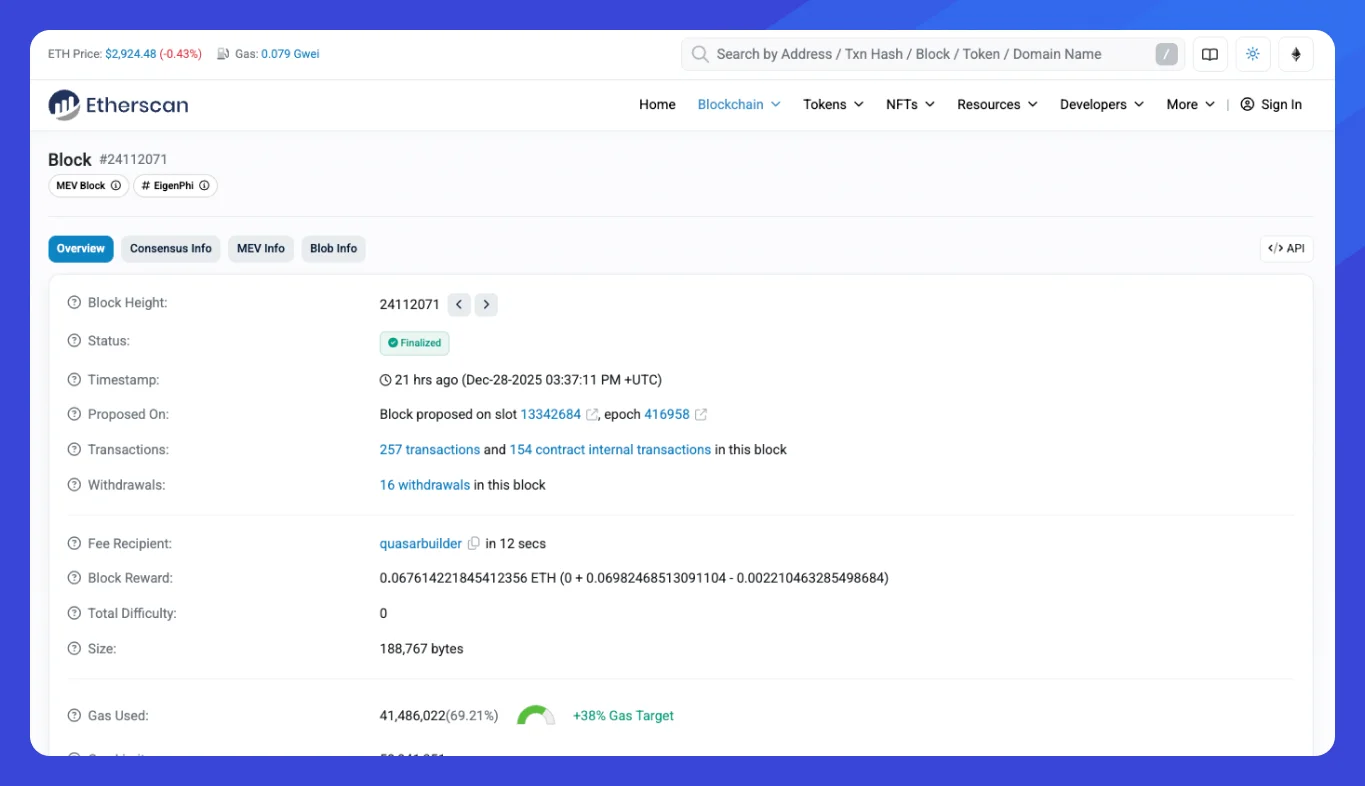
Often called the transaction hash, the TxID is a unique string of letters and numbers that acts like a receipt for your crypto transfer. If you ever need to track, share, or prove a payment, the TxID is the transaction’s permanent ID on the blockchain.
Block Height
Block height refers to the exact block number where your transaction is recorded. Since blocks are added sequentially, this number shows where your data sits in the blockchain’s history.
Confirmations
Block confirmations measure security. Each new block added after yours counts as one confirmation, making the transaction harder to reverse over time.
Gas Fee
Crypto gas fees are the costs paid to the network to process and validate your transaction.
Step-by-Step: How to Track Your Transaction
Tracking a crypto transfer is simple once you know where to look. Follow these steps to quickly see what’s happening on-chain.
1. Find Your TxID (Transaction ID)
Start in the wallet or exchange you used to send the funds. In wallets like MetaMask or Phantom, open your activity or transaction history and click the transfer. You’ll see a TxID (transaction hash), which is the unique ID you need. Exchanges also show it in the withdrawal history. This step is often called find transaction ID in MetaMask.
2. Search the Blockchain Transaction
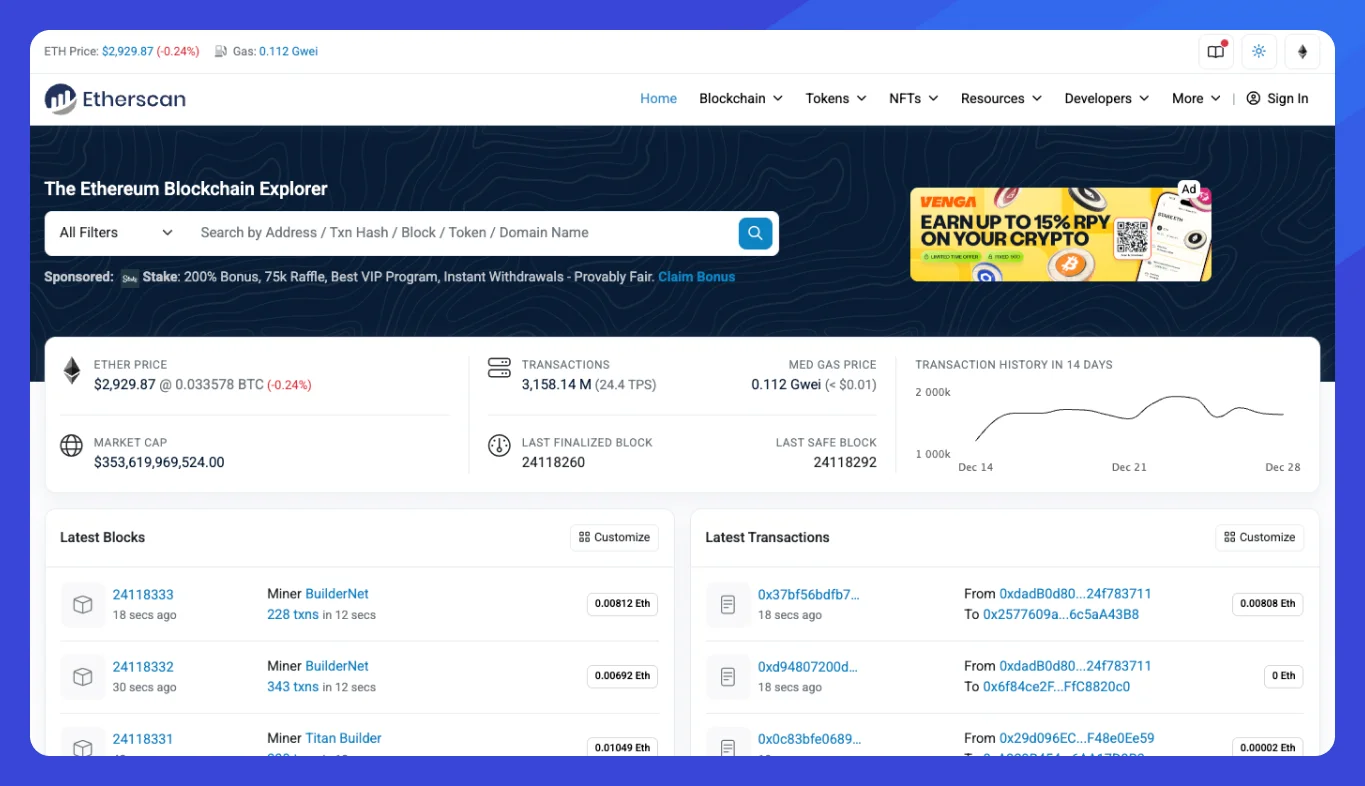
Next, open the correct block explorer for the network you used (for example, Etherscan for Ethereum). Copy and paste the TxID into the explorer’s search bar and hit enter. This lets you search the blockchain transaction directly on the public ledger.
3. Check the Status
On the transaction page, look for the Status field. It will show whether your transfer is pending, successful, or failed. You can also see confirmations, gas fees, and timestamps to fully track your crypto transfer in real time.
How to Read the Transaction Details Page
Once you open a transaction in a block explorer, the details page tells you exactly what happened on-chain. Knowing how to read it helps you verify a crypto payment with confidence.
Status
This shows whether the transaction was Pending, Successful, or Failed. Pending means the network hasn’t finalized it yet, success means it’s confirmed, and failed usually indicates an error or insufficient gas. This is the core of transaction status explained.
From / To
These fields display the sender and receiver wallet addresses. Always double-check them to confirm the funds were sent from the correct wallet and delivered to the intended recipient.
Value
Value shows how much crypto was transferred. Below or alongside it, you’ll see the fee paid, which goes to the network, not the recipient.
Troubleshooting: Why is My Transaction Pending or Failed?
If you’re dealing with a stuck transaction on Ethereum, don’t worry, it happens, especially during busy periods. Here are the most common reasons and what they mean:
Dropped / Replaced
This usually means the gas fee was too low. Validators ignored your transaction in favor of higher-paying ones. Wallets may let you speed up a crypto transaction by resubmitting it with higher gas, effectively replacing the original.
Reverted
A transaction reverted means it reached the network but failed during execution. This often happens due to smart contract errors, insufficient balance, or slippage issues on DEX trades. In short, the blockchain rejected the action, but you still paid gas.
Network Congestion
During high activity, like bull runs, transactions can take much longer. At the 2018 ICO peak, after the launch of CryptoKitties, Ethereum became so congested that some transactions took up to 48 hours to confirm. Congestion drives fees up and slows everything down.